Why RotaSync exists
Your work rota is trapped in a messy spreadsheet. Your life shouldn't be.
The problem
If you work in a hospital, your rota almost certainly lives in a spreadsheet: a shared Google Sheet, an Excel workbook on SharePoint, or a file that gets emailed around the department. It has dozens of columns, cryptic shift codes like LD, N and TW, merged cells, colour-coding only the rota coordinator understands, and it changes constantly. Swaps happen. Annual leave gets approved. Gaps get filled at short notice.
So every few weeks you sit down and copy your shifts, one by one, into your phone's calendar. Then the rota changes and your calendar is quietly wrong. You double-book yourself against a night shift, discover a swap you never saw, or spend Sunday evening squinting at row 47 of a spreadsheet trying to work out whether you're on tomorrow.
If you've ever thought “I wish this rota would just sync itself to my calendar and stay up to date”: that is, word for word, the problem RotaSync was built to fix.
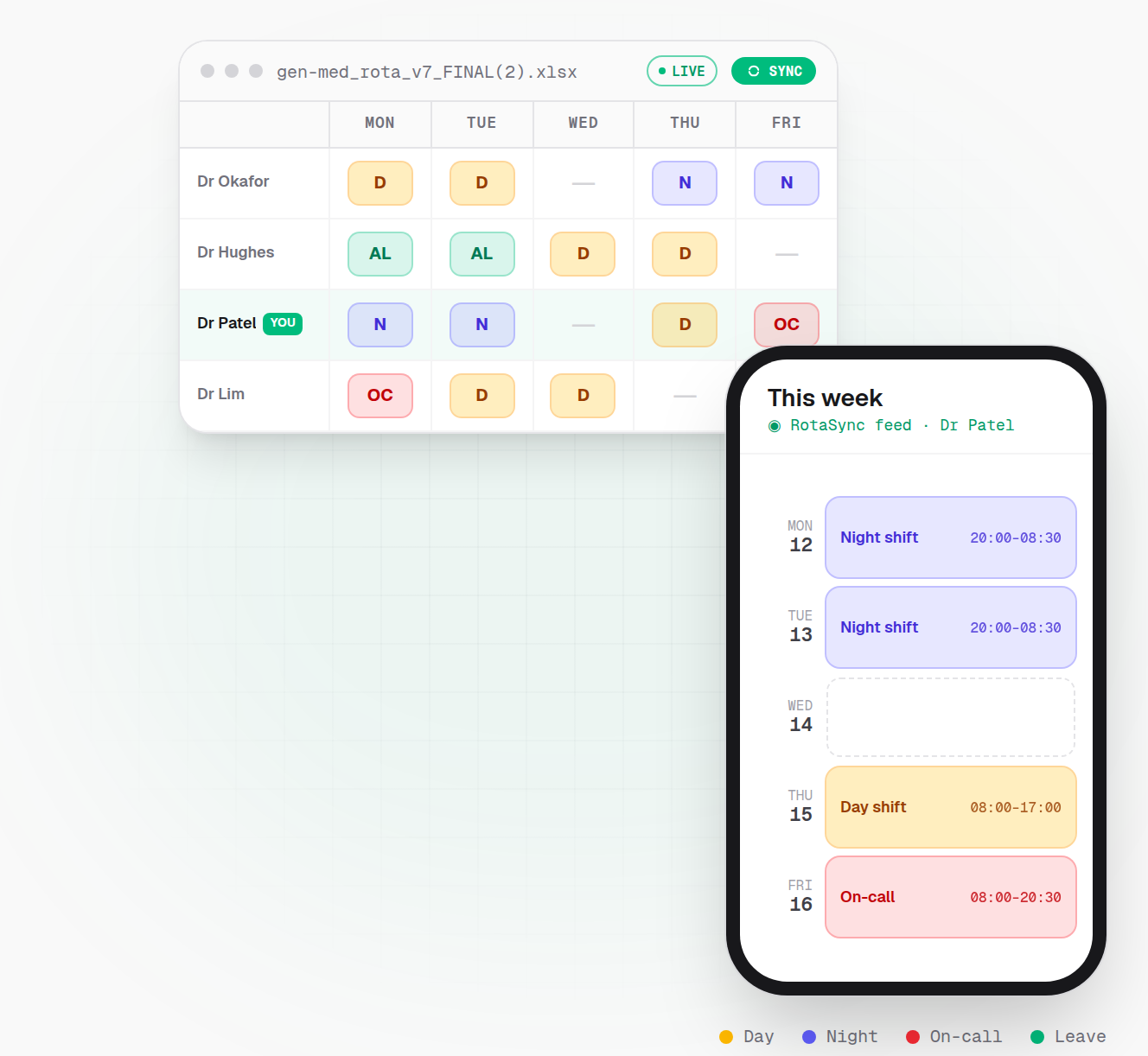
The fix
RotaSync reads the rota exactly where it already lives: no new system for your department, no asking the rota coordinator to change anything. You paste the link (or upload the file) once, tell it which name on the sheet is yours, and it does the rest:
- It finds your shifts among everyone else's, even across multiple tabs.
- It decodes the shift codes into real start and end times (long days, nights, twilights, on-calls, leave), which you can fine-tune once and keep forever.
- It gives you a calendar link you add once to Apple Calendar, Google Calendar or Outlook.
- When the spreadsheet changes, your calendar updates automatically on its next refresh. No re-copying, ever.
Who it's for
RotaSync is built for doctors' rotas: resident doctors rotating every 4 to 6 months, registrars, nurses, ACPs and pharmacists. It works for anyone whose shifts are decided by a spreadsheet they do not control.
You can only add a rota you already have. RotaSync gives you no access you did not have already: you paste a link or a file you hold through your work, and nothing more. When you add one, you confirm two things, and we record the date and time you did: that you are entitled to that rota, and that it holds nothing confidential.
If your rota is a Google Sheet, an Office 365 or SharePoint workbook, or an Excel file, RotaSync can almost certainly turn it into a calendar.
How does it work?
Your rota was written by a person, for people. Nobody designed it to be read by software, so the dates might run across the top or down the side, the shift codes are whatever your department calls them, and the layout is whatever fitted on the page.
RotaSync works it out. Our proprietary algorithm finds the dates, the names and the shift codes wherever they sit on the sheet, picks you out from among your colleagues, and turns your shifts into real calendar events with the right times. It copes with unusual shift codes, columns that move and formats that change mid-rotation, and if a colleague on the same rota has already set it up, yours is ready straight away.
Because your shifts are already read in, two things follow with almost no effort from you. RotaSync checks your work pattern against the safe-working limits in the doctors' contracts, so you can see whether your rota looks safe and compliant without typing a single shift into a checker. And it works out what your rota should pay you, gross and take-home, so you can compare that against the work schedule your trust actually pays you on and spot a difference worth asking about. How both are calculated is written up in full, including what can make an estimate wrong.
Because it is interpreting a document made for humans, we're upfront that it can make mistakes. Your official rota always remains the source of truth.
Stop copying shifts by hand
Link your rota in a couple of minutes and see your shifts appear in your own calendar. Free for your first 30 days, no card required to try it.